
CoinGecko for Google Sheets (Official)
The CoinGecko Official Google Sheets Add-on brings the world’s most comprehensive crypto data directly into your workflow. Bypass manual data entry and use the =COINGECKO() custom function to pull live prices, historical prices, NFT floors, and on-chain data of 20 million tokens across 250+ networks and 1,800+ exchanges.
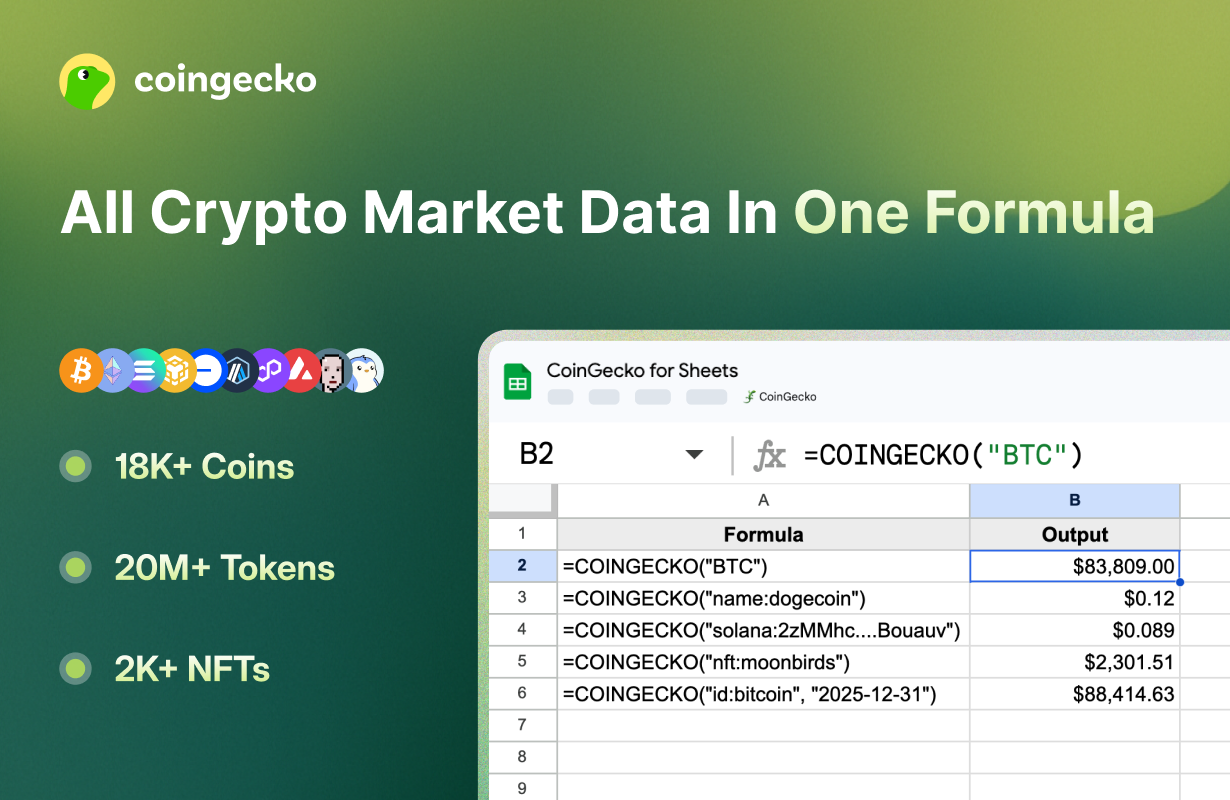
Your privacy is our priority. This official add-on follows the principle of ‘least privilege.’ Unlike other tools, it does not request permission to access your Google Drive or all of your spreadsheets. It is strictly limited to reading and updating only the specific sheet you have currently opened to fetch CoinGecko data.
If you have any questions or feedback, please share with us here.
1. Quick Start
Install Addon
Visit ‘CoinGecko for Sheets: Live Crypto Prices’ on Google Workspace Marketplace, and click Install.
Authorize
Check Select all to grant the required permissions.
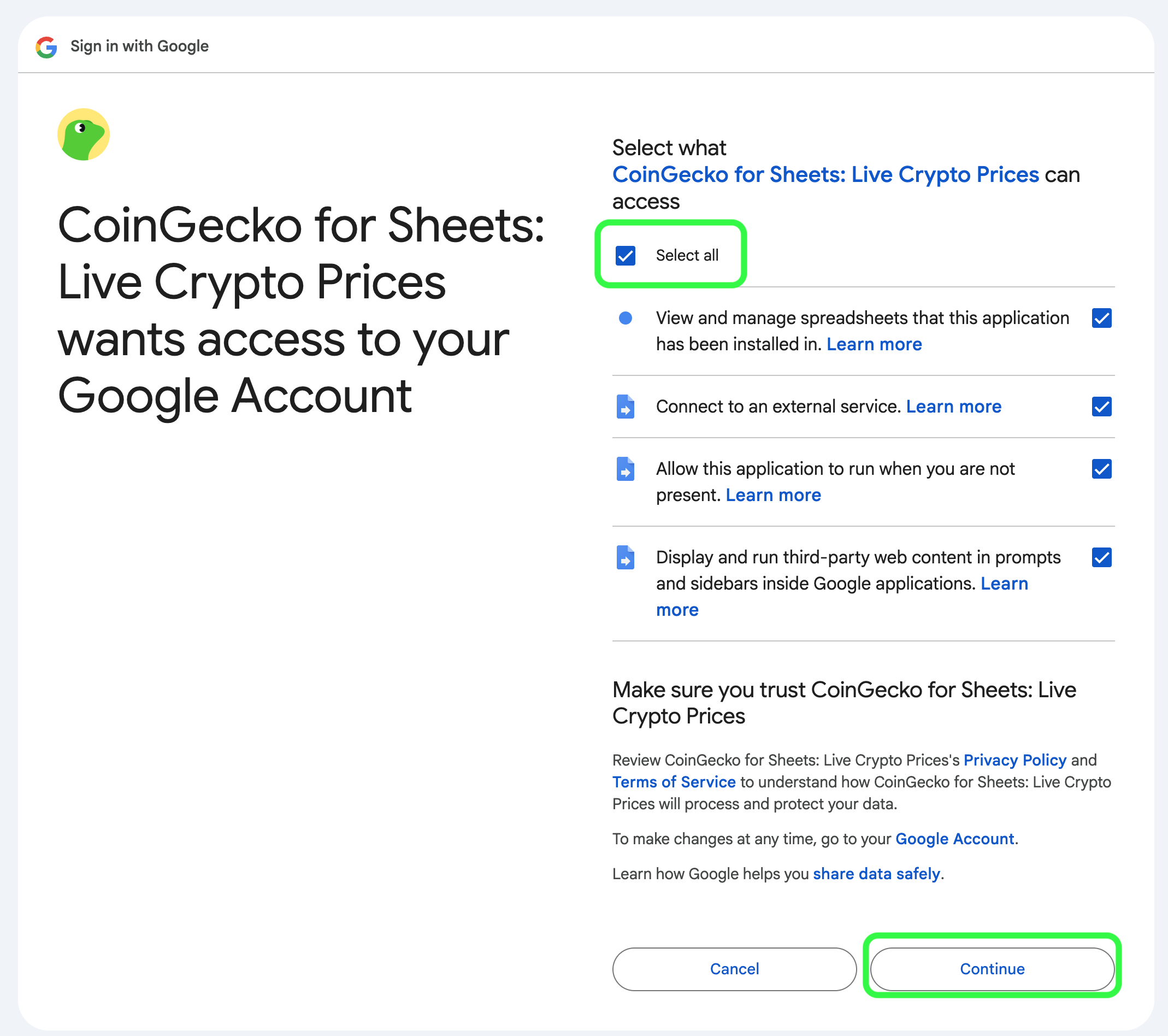
- To provide a seamless experience, CoinGecko for Sheets needs these permissions to communicate with our API and write data to your sheet.
- We follow the principle of “least privilege” and only access data necessary to run the tool. We DO NOT have access to your email address and personal data.
Set API Key
- Go to Extensions > CoinGecko > Settings & API Key
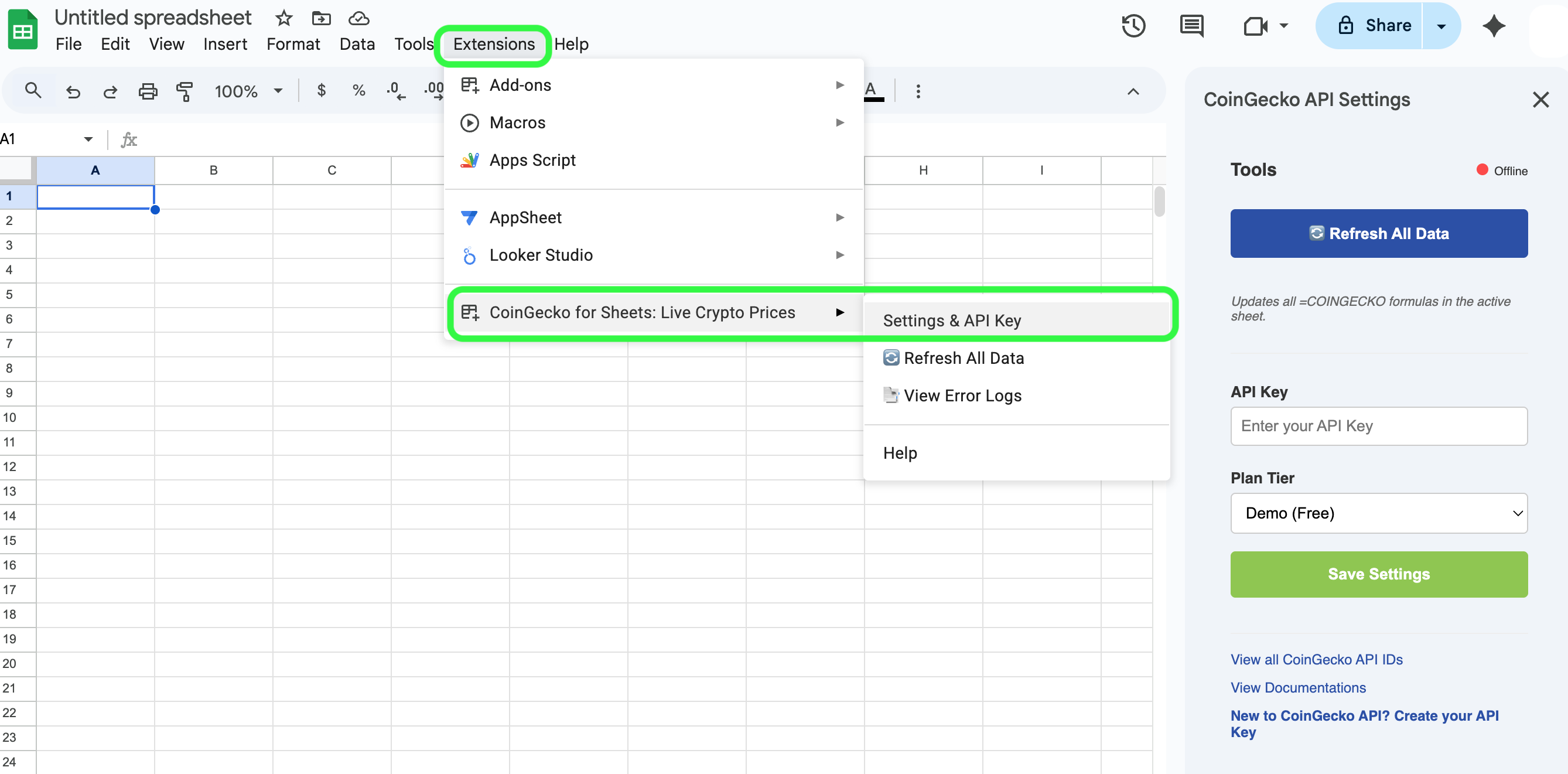
- Enter your CoinGecko API Key in the Settings sidebar.
- Select your plan (Demo or Pro) and click Save Settings.
You’re now ready to use the =COINGECKO() function!
2. Using the =COINGECKO() Function
The add-on uses a single “Smart Routing” function. It automatically detects if you are looking for a market ticker, a specific coin ID, an on-chain contract, or an NFT.
a. Get Latest Price of a Token or NFT
Pro Tip: Use the Coin ID (e.g.,
bitcoin-cashinstead ofBCH) for the most reliable results, as symbols can sometimes be shared by multiple tokens.
b. Get Historical Price of a Token
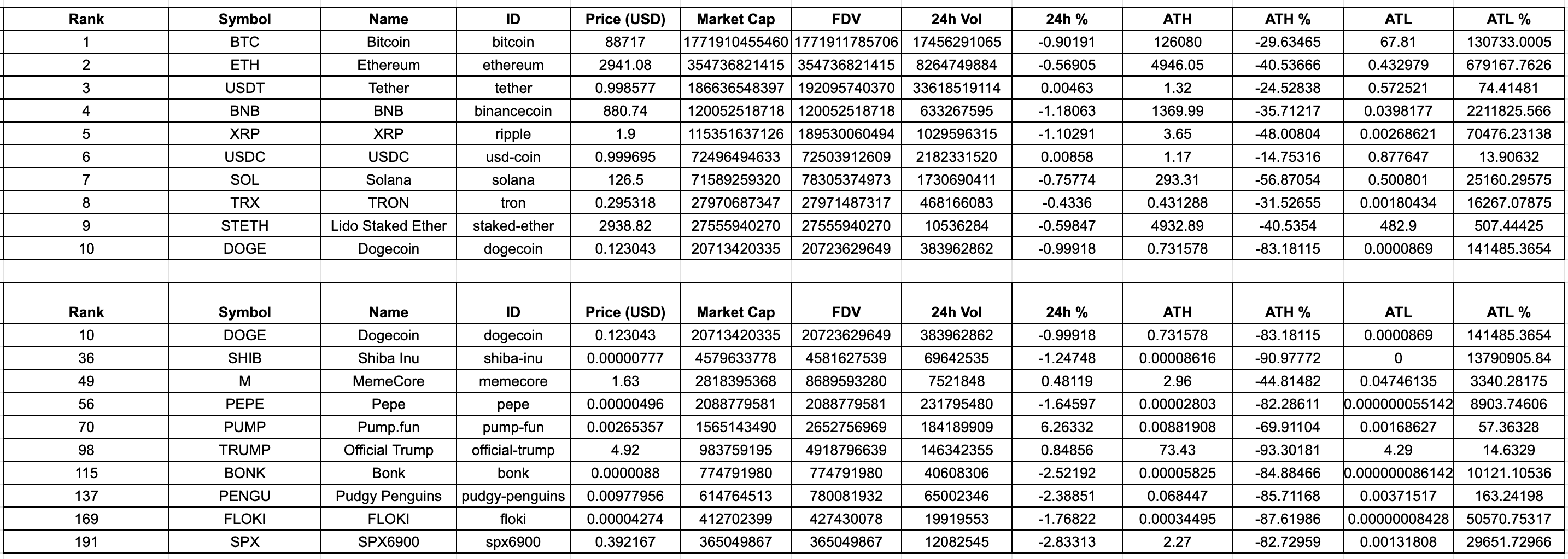
c. Get List of Top Market Cap Ranked Tokens on CoinGecko.com
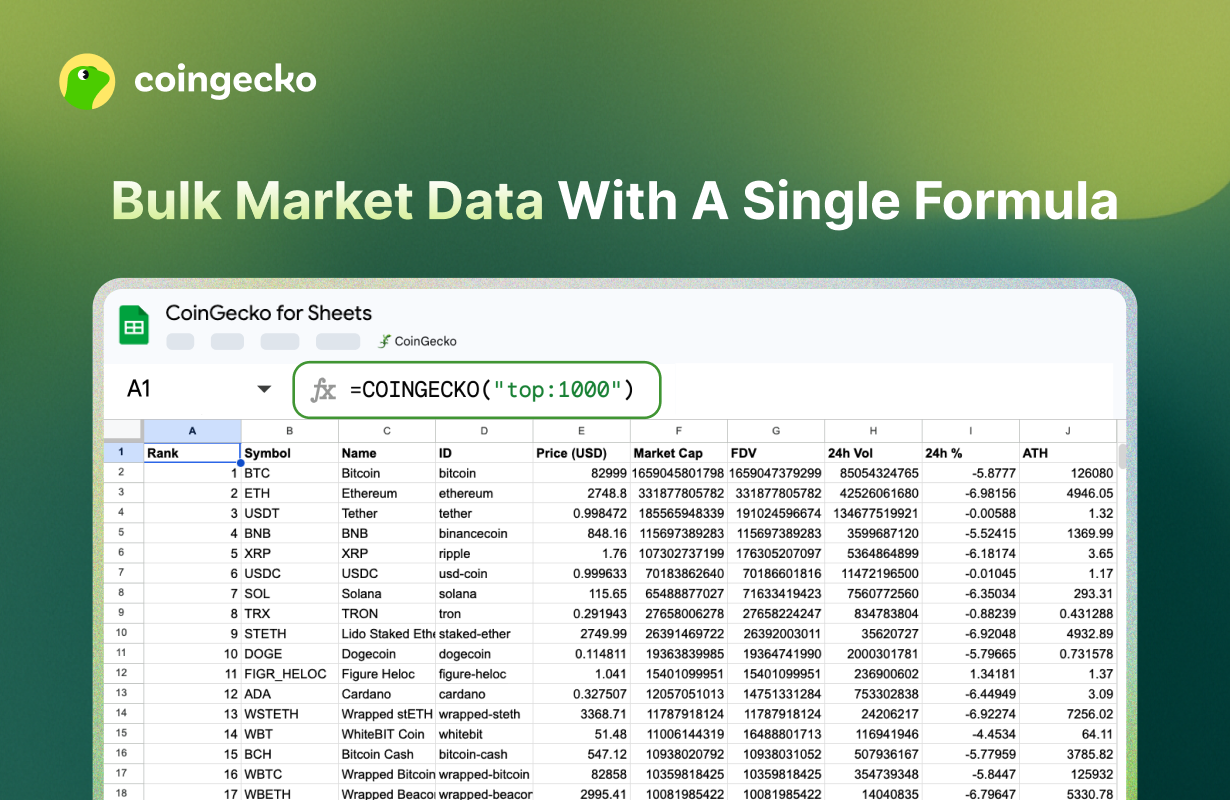
Get up to 1,000 token price & market data with just 1 single formula input
3. Other Features
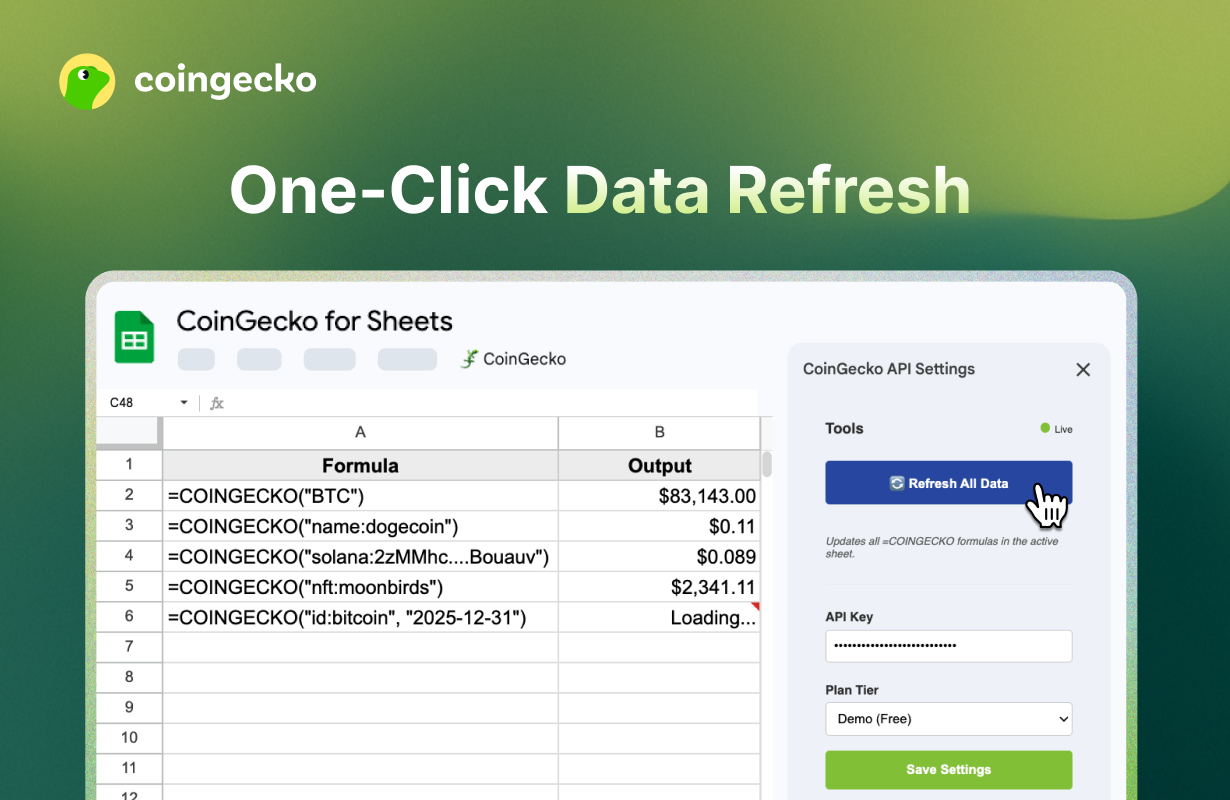
🔄 Bulk Refresh
Google Sheets typically caches formulas for 1-2 hours. To get “right now” prices for your entire sheet:
- Open the CoinGecko Sidebar.
- Click Refresh All Data. This will force-update every
=COINGECKOformula in your active tab.
📑 Error Debugging
If a formula returns an error, don’t guess why.
- Go to Extensions > CoinGecko > View Error Logs.
- This opens a dedicated log sheet showing the exact API response error (e.g.,
429: Rate Limit Exceededor403: Invalid API Key).
4. Troubleshooting & FAQ
Why is my formula showing #NAME?
- Ensure the add-on is installed and “CoinGecko” appears under the Extensions menu. If it’s missing, try refreshing your browser.
How do I find a Coin ID or NFT ID?
- You can get the full list of supported CoinGecko API IDs here, or visit CoinGecko.com and GeckoTerminal.com. The Coin ID can also be found in the “API ID” section on the right sidebar of the coin or NFT’s page.
Is my API Key safe?
- Yes. Your API key is stored securely using Google’s PropertiesService, meaning it is encrypted and unique to your Google user account. CoinGecko does not see or store your key on its own servers.
Why do I need to “Allow” all these permissions to use the add-on?
- We highly recommend checking “Select all” during the authorization flow. If a specific box is unchecked (such as “Connect to an external service”), the add-on will be unable to fetch price data, leading to errors in your formulas.
- To provide a seamless experience, CoinGecko for Sheets requires specific authorizations to interact with your data and our API servers. We follow the principle of “Least Privilege,” meaning we only request the absolute minimum access needed to run our tools.
- View and manage spreadsheets: Required to populate your cells with market data and create the “Error Logs” sheet if something goes wrong.
- Connect to an external service: This allows the add-on to securely fetch real-time cryptocurrency prices directly from CoinGecko’s API servers.
- Allow this application to run when you are not present: Essential for keeping your custom formulas active and responsive without requiring you to have the sidebar open at all times.
- Display third-party web content: Needed to show the user interface in the Sidebar, where you manage your API Key, plan settings, and troubleshooting tools.
What is your privacy policy?
- Please view the full details of our privacy policy here.
How do I share feedback or request to support more features?
- If you have any questions or feedback, please share with us here.